Bandit is meant as a starting point for absolute beginners. As such, the challenges are less meant to challenge a person than they are to push them towards a correct train of thought for completing future wargames.
Lets get started at the beginning.
This level acts as an intro on how to connect to future levels. All you need to do is connect via ssh to bandit0 on the host bandit.labs.overthewire.org on port 2220 with the password bandit0.

When logged into Bandit0, open the file readme.
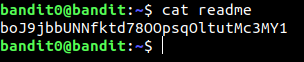
The password for level 1 is boJ9jbbUNNfktd78OOpsqOltutMc3MY1
When looking what's in Bandit1, we can see only 1 file.
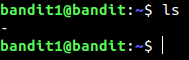
The trip up here is in Unix style programs, arguments are options if they begin with a hyphen delimiter ('-'). So the problem is that calling cat - does nothing as the program believes there is an expected option after the hyphen. The easy fix is to use ./ before the filename, denoting a file in the current working directory.

The password for the next level is CV1DtqXWVFXTvM2F0k09SHz0YwRINYA9
We see only 1 file in Bandit2
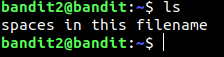
All we need to do is escape the spaces with backslashes to read the file.

The password for level3 is UmHadQclWmgdLOKQ3YNgjWxGoRMb5luK
We just change directory into the inhere directory and view the all the contents

And the password is in the file we see there.

The password for level 4 is pIwrPrtPN36QITSp3EQaw936yaFoFgAB
The password for this level is the only human-readable file in the inhere directory
This can be the introduction to shell scripting in bash (Bourne Again Shell)
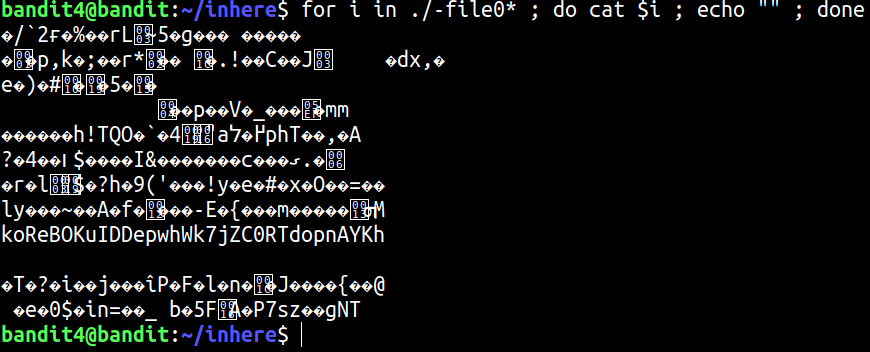
So we have that the password for level 5 is koReBOKuIDDepwhWk7jZC0RTdopnAYKh
For the next challenge, we are told that the correct password is in a file somewhere in the inhere directory that has the following properties:
We can use the find command to recursively look at all files in subdirectories. We can also use find to execute a command with every file it lists, in this case, we use the stat command to look at the total size in bytes. Finally We use grep on the output and see which file is exactly 1033 bytes.

The password for level 6 is DXjZPULLxYr17uwoI01bNLQbtFemEgo7
We are given the hint that the password for level 7 is somewhere on the server and has the following properties:
The first thing we do is navigate to the root directory to properly look at all files
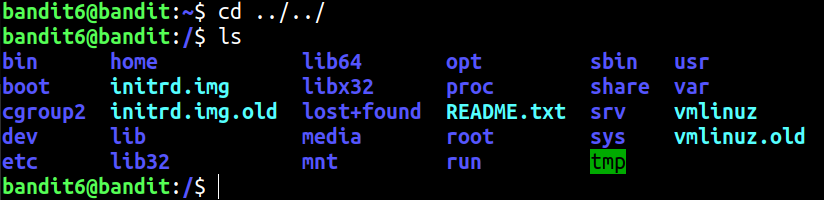
Next we recursively list all files, filtering for the pattern "bandit7 bandit6" which the command ls -l gives out as user and group, respectively. There are also many directories we don't have permission to look at so to clean the output, direct error messages to /dev/null.

We see a file matching all the criteria, so we just have to find the find the file and see the contents.

We see the password for level 7 is HKBPTKQnIay4Fw76bEy8PVxKEDQRKTzs
We have the hint that the password is in data.txt next to the word millionth

So we have the password for level 8 is cvX2JJa4CFALtqS87jk27qwqGhBM9plV
We are told that the password for the next level is in data.txt and is the only unique line in the file. We find the line by sorting the file and then using the program uniq on the file.

So the password to level 9 is UsvVyFSfZZWbi6wgC7dAFyFuR6jQQUhR
We are given that the password is located in data.txt, is one of the few human readable strings, and is proceded by serveral '=' characters.
We use strings program this time instead of cat so that we only get human readable strings out. Then we grep for some '=' characters
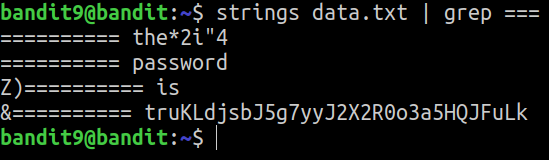
We see the password for level 10 is truKLdjsbJ5g7yyJ2X2R0o3a5HQJFuLk
The password is in data.txt and is base64 encoded. This means we just use base64 -d to decode the data.

We see the password for level 11 is IFukwKGsFW8MOq3IRFqrxE1hxTNEbUPR
We are given that the password is located in data.txt and that the letters have been rotated 13 positions
We can use tr, a program meant for translating characters to do the rot13 algorithm.

The password for level 12 is 5Te8Y4drgCRfCx8ugdwuEX8KFC6k2EUu
We are given that the data is stored in data.txt and that it is a hexdump of a compressed file.
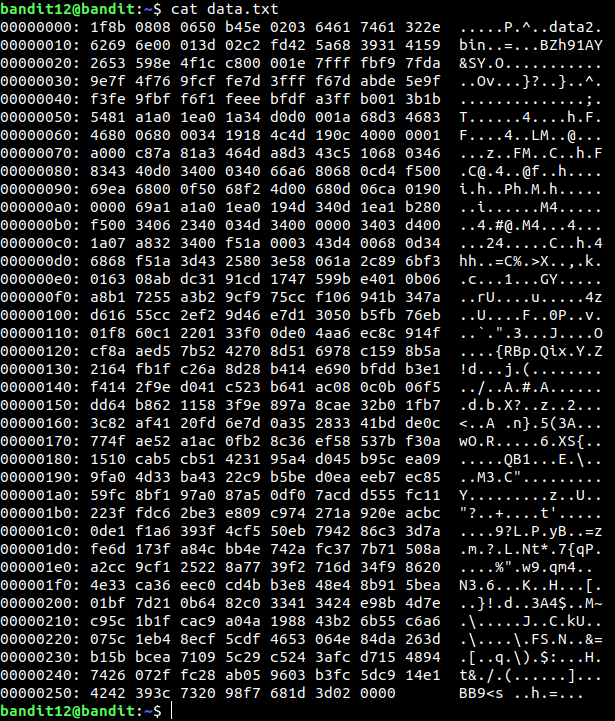
We can use the tool xxd -r to reverse the hexdump and store the result in a file data2. We also need to work in a temporary directory for this step.

Calling file on the new file, we can see it was a gzip compressed file. So we change the filename and undo the compression.

Looking at the new file, we can see it is bzip2 compressed. We seem to reach a point of checking the compression type, changing the file extension and applying the proper decompression.
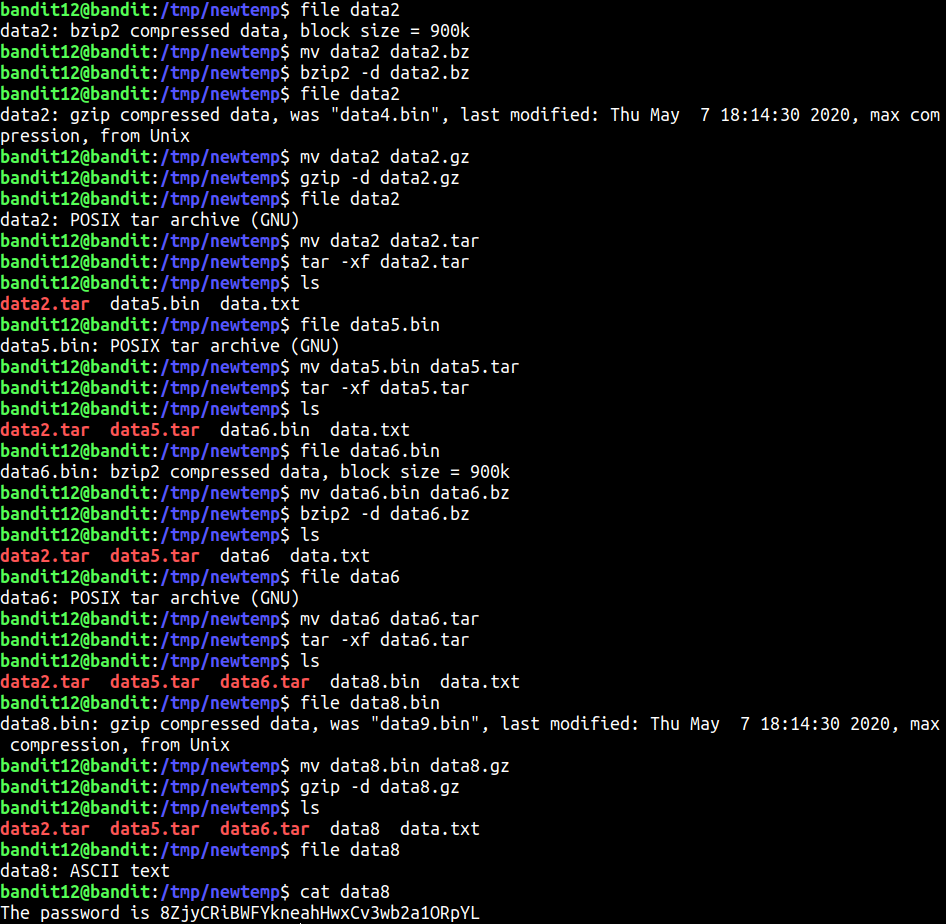
We reach the end of the loop and find the password for level 13 is 8ZjyCRiBWFYkneahHwxCv3wb2a1ORpYL
We are told that the password to level 14 is stored in /etc/bandit_pass/bandit14, but it can only be read by user bandit14.
We can see that we are given an ssh private key for bandit14, copy this to a text file on your local machine.
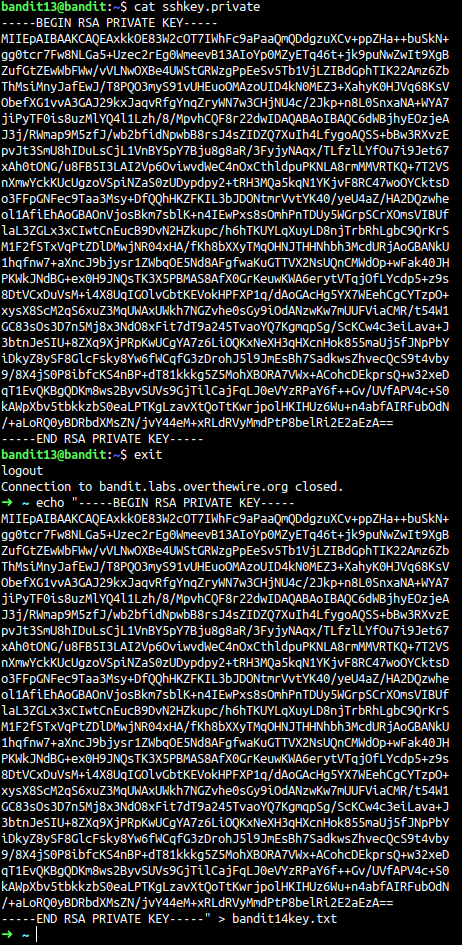
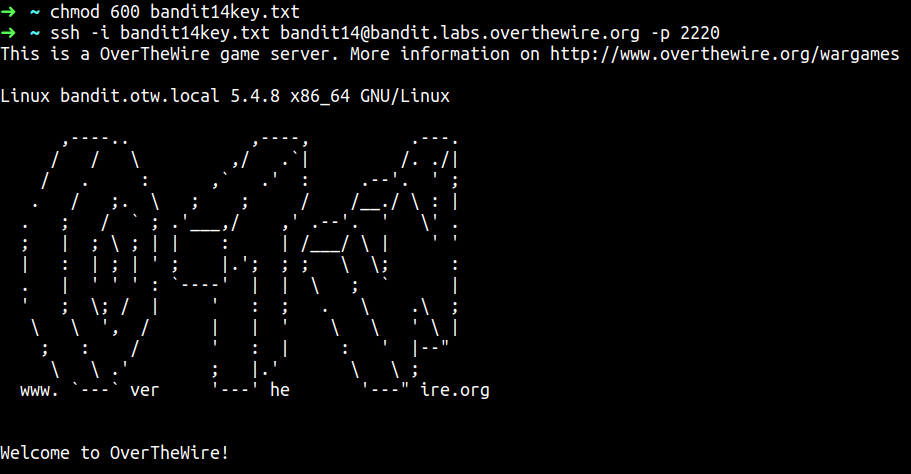
Now we set the correct permissions for the key and use it to log into bandit14.
The all that's left to do is read the password now that we are the correct user.

So the password for level 14 is 4wcYUJFw0k0XLShlDzztnTBHiqxU3b3e
We are told that we will get the password for level 15 if we send level 14's password to port 30000 on localhost
This is simple to do with netcat using the command nc
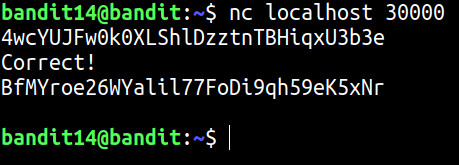
So the password for level 15 is BfMYroe26WYalil77FoDi9qh59eK5xNr
We are told that the password for the next level can be retrieved by submitting the current level's password to port 30001 on localhost using SSL encryption
For this we cannot use nc as it does not support SSL encryption. Instead we make use of openssl to make the connection.
The format of the command for a connection is
openssl s_client -connect host:port
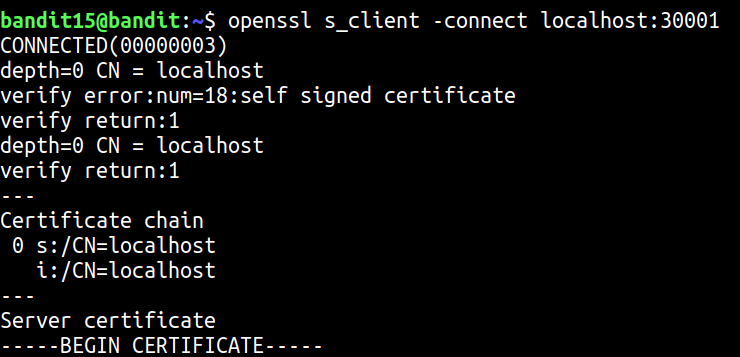
Then we submit the password of the current level and wait for the reponse.
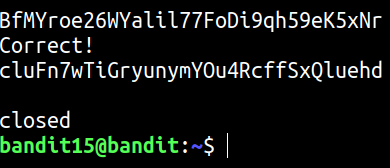
We can see the password for level 16 is cluFn7wTiGryunymYOu4RcffSxQluehd
We are told that we can retrieve the credentials for the next level if we submit the current password to a port on localhost in the range 31000 to 32000
We can start by using nmap with service detection to see which ports are open and using SSL.
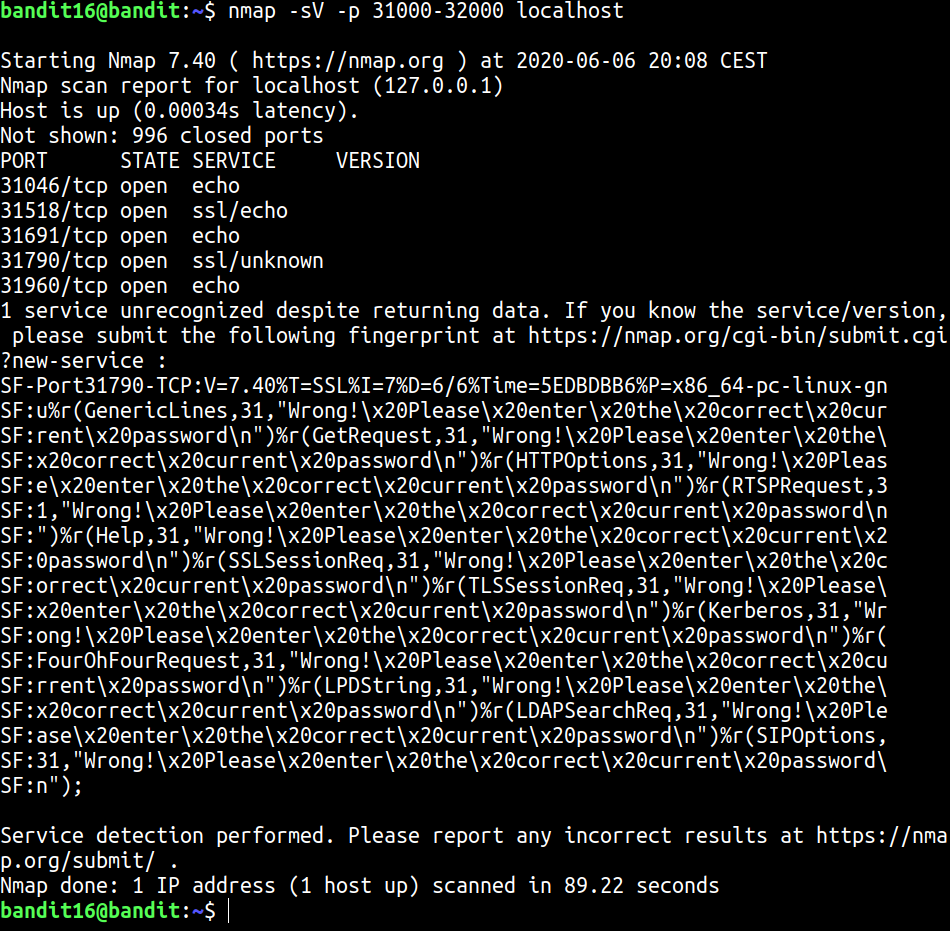
We can see that port 31790 gave nmap trouble in detecting the service. Looking closer we can see that it is asking for password as input.
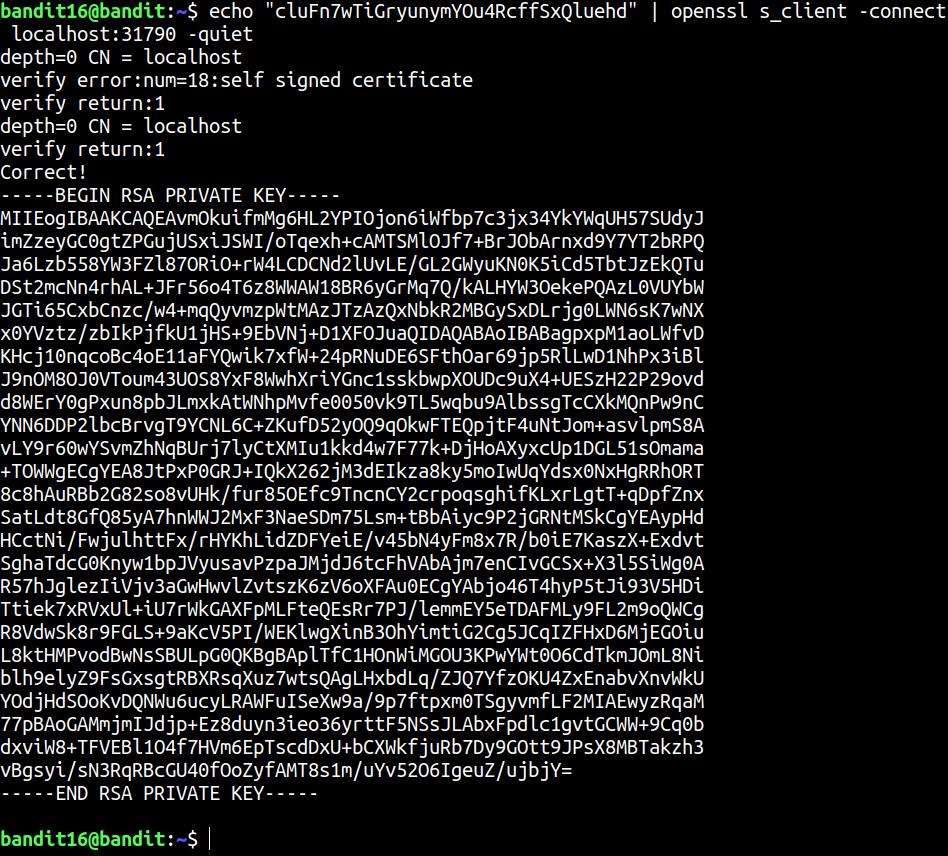
We are given the private key to log into bandit17
We are told that there are 2 files in the home directory, password.old and password.new and that the password is the only life that has changed between them.
We can use the command diff to see differences between files.
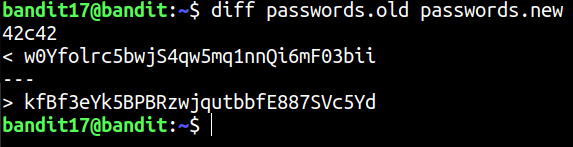
So we see the password the level 18 is kfBf3eYk5BPBRzwjqutbbfE887SVc5Yd
We are told that the password for the next level is in the home directory in a file called readme.
Unfortunately, the bashrc has been modified so that we are logged out when we log in with SSH.


We can solve this by sending a command along with the SSH login to execute.

So we see that the password for level 19 is IueksS7Ubh8G3DCwVzrTd8rAVOwq3M5x
For this challenge we are told that we need to use the setuid binary in the home directory to view the password for the next level.
The password is stored in the file /etc/bandit_pass/bandit20
We can look at the file permissions and see bandit20 has read permissions on the file.

Using the bandit20-do binary, we can view the file as

So we have that the password for level 20 is GbKksEFF4yrVs6il55v6gwY5aVje5f0j
We are told that there is a binary suconnect that takes a port as an argument. It reads a line of text from the connection and if it is level 20's password, it will send level 21's password as a response.
For this we need to set a simple TCP server with nc and have it echo the line out in the background.

Then we run the binary on port 9999

So we see the password for level 21 is gE269g2h3mw3pwgrj0Ha9Uoqen1c9DGr
We are told that a cronjob is running at regular intervals and to look at /etc/cron.d for the configuration to see what is being executed.
Looking in /etc/cron.d, we see a cronjob: cronjob_bandit22

Looking at cronjob_bandit22, we see that it is executing /usr/bin/cronjob_bandit22.sh and throwing away the output. Looking at /usr/bin/cronjob_bandit22.sh, we can see what it is executing.
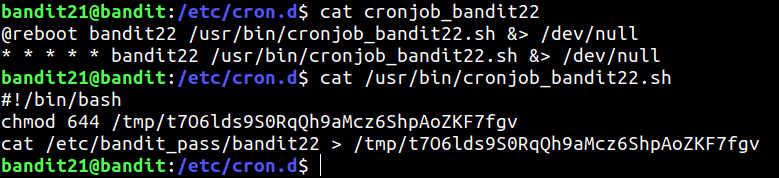
We see that it is throwing the password into a temp folder. Looking at that file we find the password.

So the password for level 22 is Yk7owGAcWjwMVRwrTesJEwB7WVOiILLI
We are told again that there is a cronjob in /etc/cron.d whose configuration will lead us to the password.
Looking in the folder we find cronjob_bandit23, which executes /usr/bin/cronjob_bandit23.sh
Looking at that file we see the following script:
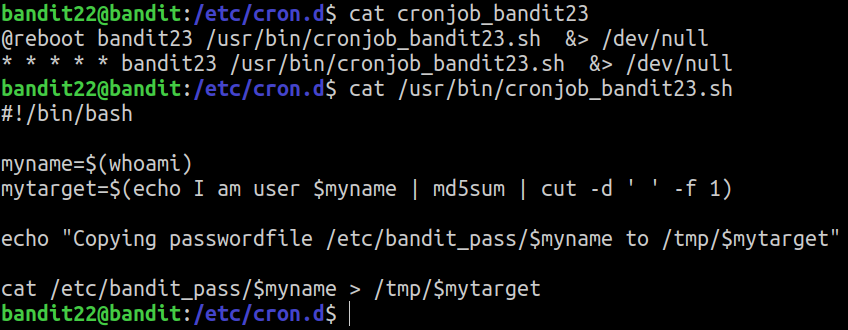
So the password for bandit23 is being written to /tmp/$mytarget
To find the password, we have to find the value of $mytarget and read the appropriate file.

We see that the password for level 23 is jc1udXuA1tiHqjIsL8yaapX5XIAI6i0n
We are told similarly about a cronjob and a script that is executed for bandit24
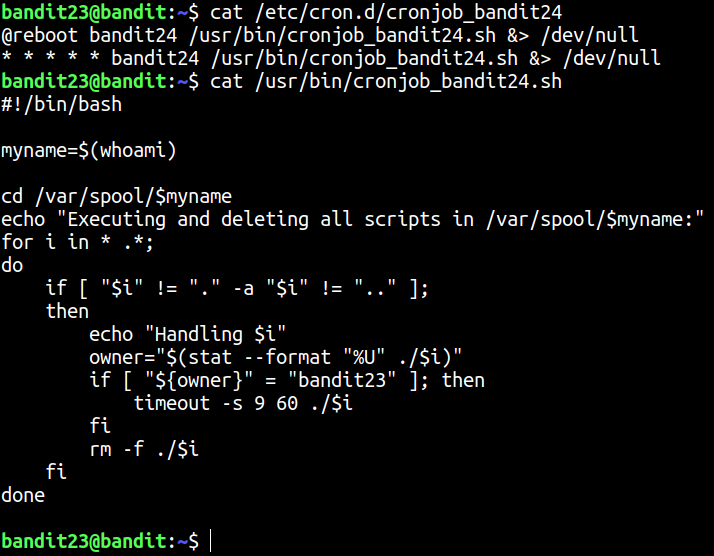
The script executes anything in /var/spool/bandit24 and then deletes the file.
So we need to make a script that when executed, puts the password from /etc/bandit_pass/bandit24 into a file where we can read it.
To start, lets make a temp directory to work in and set up our script.

The we can write a simple script to grab the password and put in in our temp folder.

Then we create a blank file where the password will be stored. We also need to change the permissions for the files so that can read, write and execute.

Then we put our script in /var/spool/bandit24 and wait for about a minute for it to execute.

So we can see that the password for level 24 is UoMYTrfrBFHyQXmg6gzctqAwOmw1IohZ
We are told that a daemon is listening on port 30002 and will give us the password for level 25 is we send it the password for level 24 and a correct 4 digit pincode.
We have to brute force the pincode, which is luckily only 10,000 combinations. To do this, we can loop over all numbers from 1 to 9999 and send them to port 30002 using netcat. We also will get back a lot of wrong responses, so we can use grep -v Wrong to only give us output that does not contain the word wrong.

So we see that the password for level 25 is uNG9O58gUE7snukf3bvZ0rxhtnjzSGzG
In level 25's home directory, we see a private key to ssh into bandit26. We are also told that the shell for bandit26 is not /bin/bash, but something else. We can see which shells users are using by looking at /etc/passwd.
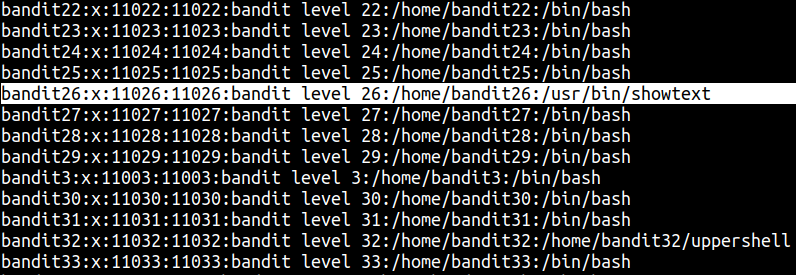
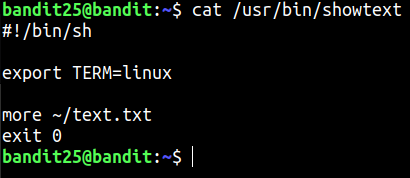
So it turns out that bandit26 is using /usr/bin/showtext as it's shell. Looking at that we can see that is essentially executes more on text.txt and exits.
When trying to log into bandit26, we confirm this.
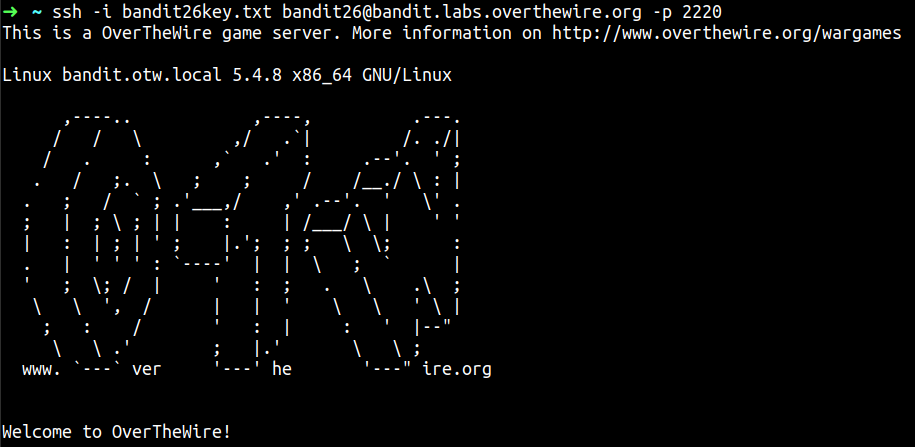
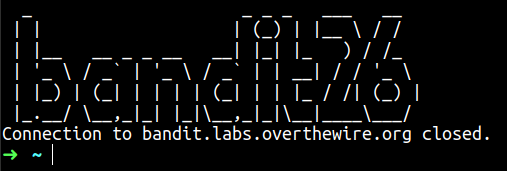
The trick here is to reduce the size of your terminal so that we can get the "more" prompt, as it will not be able to show the whole of ~/text.txt. Issuing the ssh command with a terminal size of 6 lines, we get the prompt.

After that we can make the terminal whatever size you prefer again.
We can now make use of commands we can execute in more. We cannot use the !cmd command as it will execute a command with the current shell, which is currently still not bash. We get around this by opening the file in vi by entering v into the more command. This brings up the vi text editor with ~/text.txt
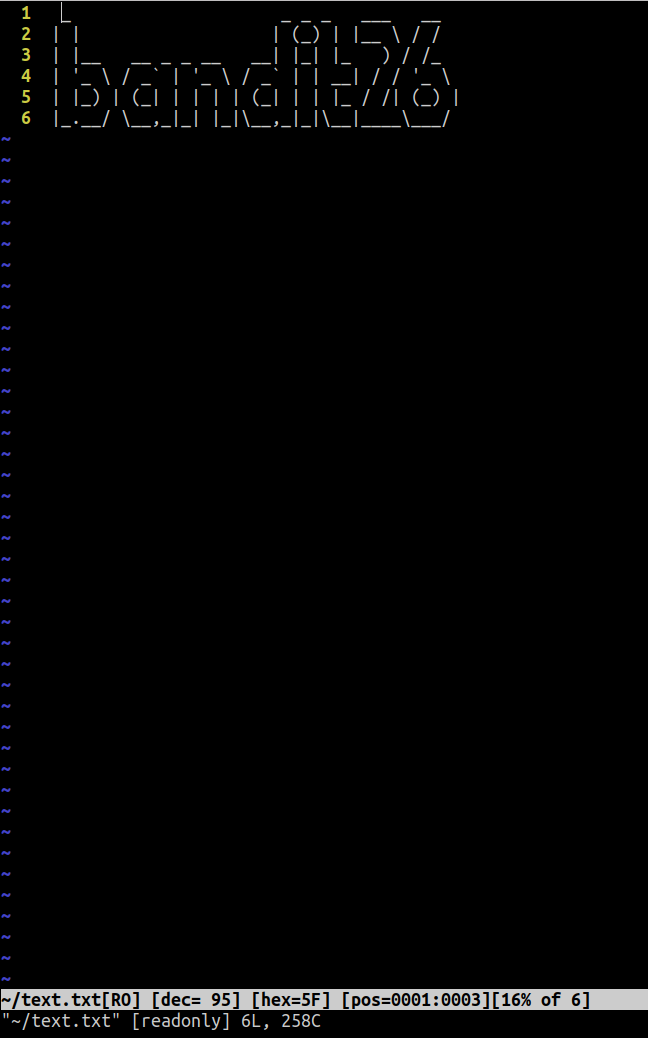
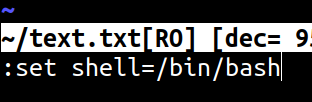
Now in vi, we can use the sh command to enter a child shell. First, however, we need to change the shell to bash.
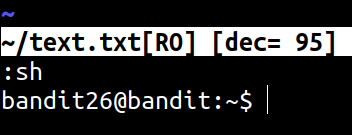
The enter sh to drop into a shell.
The we can find the password to level 26 the same as usual, in /etc/bandit_pass/bandit26.

So we have the password to level 26 is 5czgV9L3Xx8JPOyRbXh6lQbmIOWvPT6Z. However we will stay in the shell to progress to level 27.
This is a relatively simple level. All we have to do is use the bandit27-do binary to read the next level's password.

So we have the password for level 27 is 3ba3118a22e93127a4ed485be72ef5ea
We are told that there is a git repository at ssh://bandit27-git@localhost/home/bandit27-git/repo and that the password is the same as this level's password.
We will use git clone in a temp directory to see the contents of the repository
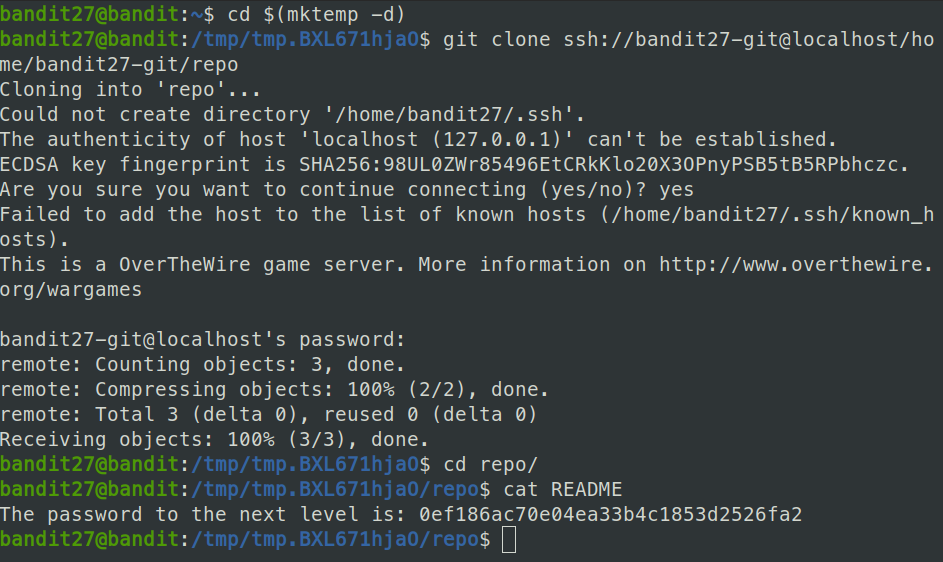
So the password for level 28 is 0ef186ac70e04ea33b4c1853d2526fa2
Similar to last level, there is a git repository and we are told to find the password. First clone the git repository into t a temp folder.
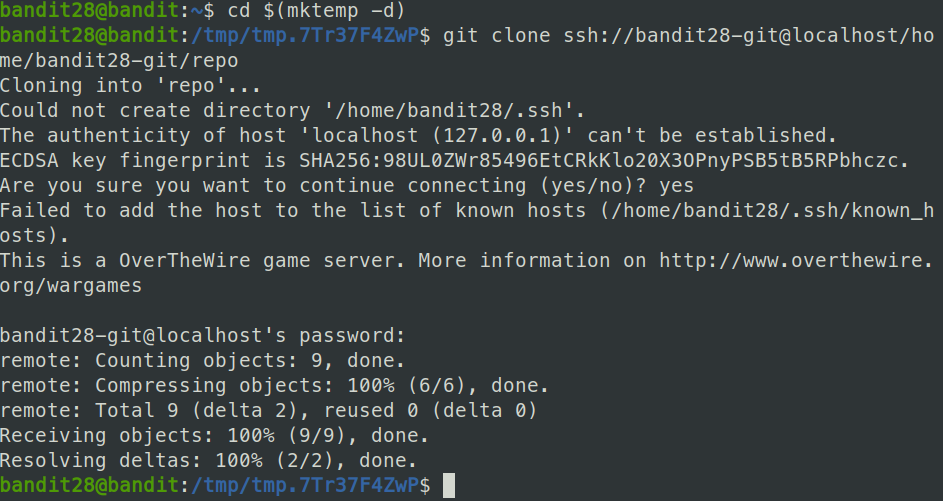
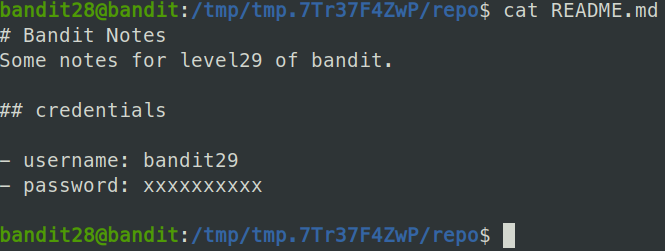
We see a readme file in the repo folder, looking at it we see the password has been hidden.
We can when the repository was changed by using the git log command
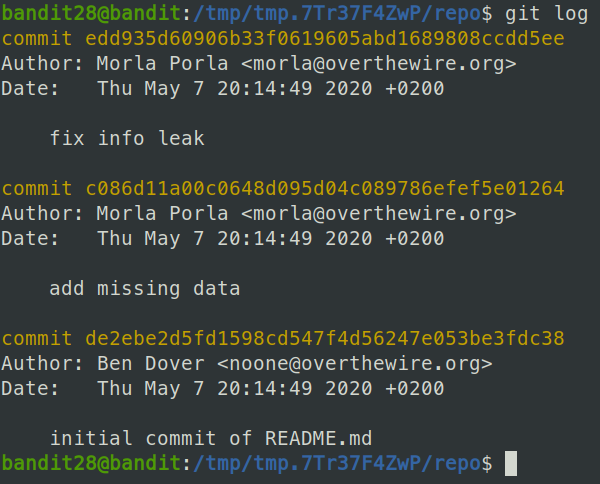
We can see that at commit c086d11a00c0648d095d04c089786efef5e01264, the password was likely added.
To get the password, we can use git diff on the first and second commits and see what was changed.
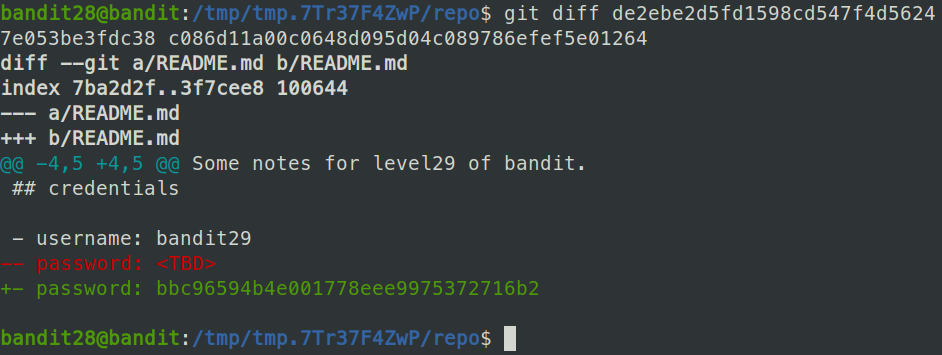
So we have that the password for level 29 is bbc96594b4e001778eee9975372716b2
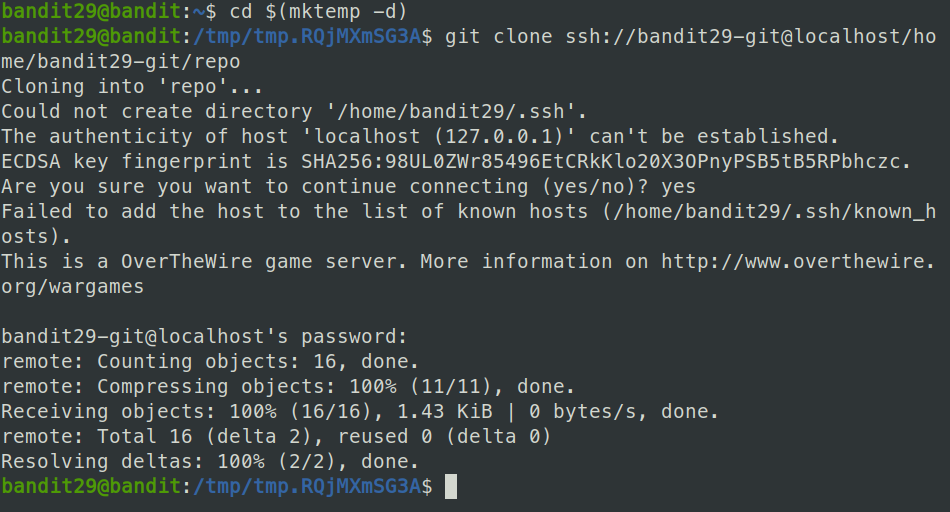
For this level, we once again clone a git repository into a temp directory.
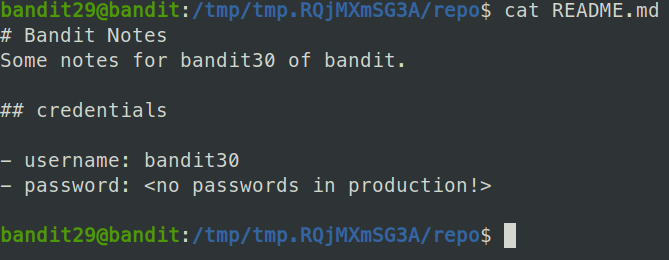
Looking at the readme file, we see that the password has not been added in yet.
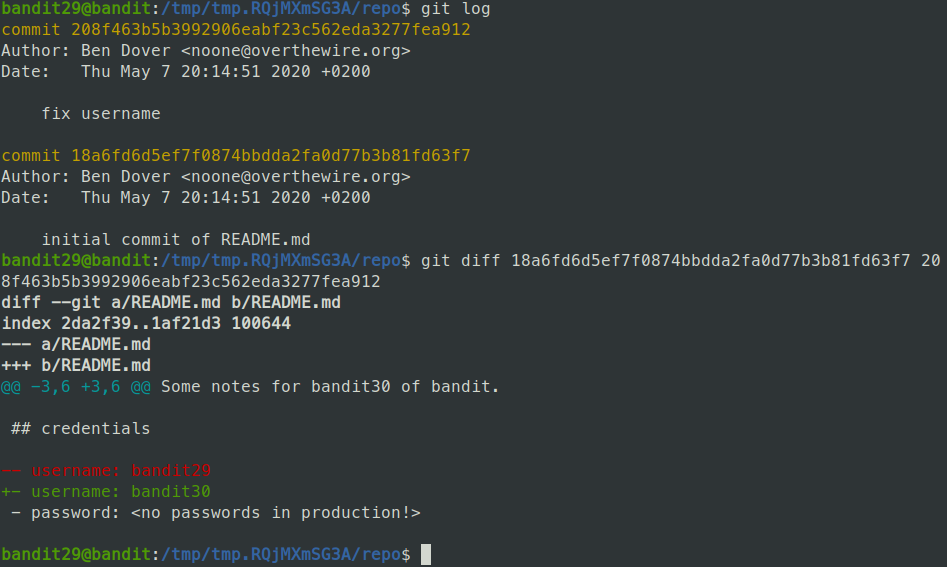
We can try the same logic as last level and see the changes between commits. Unfortunately there was no changes of interest.
Our next idea is that maybe there are different branches of this repository, and that the password was added in on one of those. To check this, we can use the git branch -a command to list all the branches.
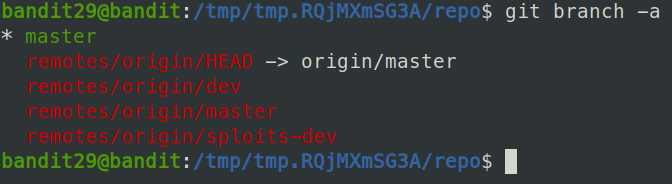
We see serveral remote branches, we can switch to another branch by using the git checkout command.
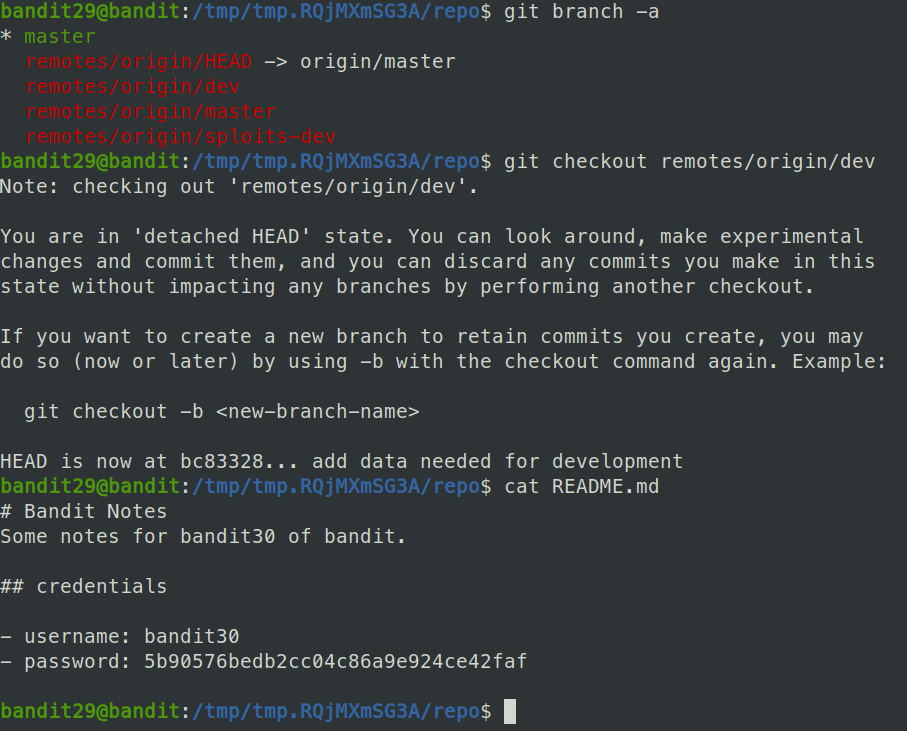
So it turns out the dev branch had the password for level 30, which is 5b90576bedb2cc04c86a9e924ce42faf
We are told again to clone a git repository from ssh://bandit30-git@localhost/home/bandit30-git/repo.
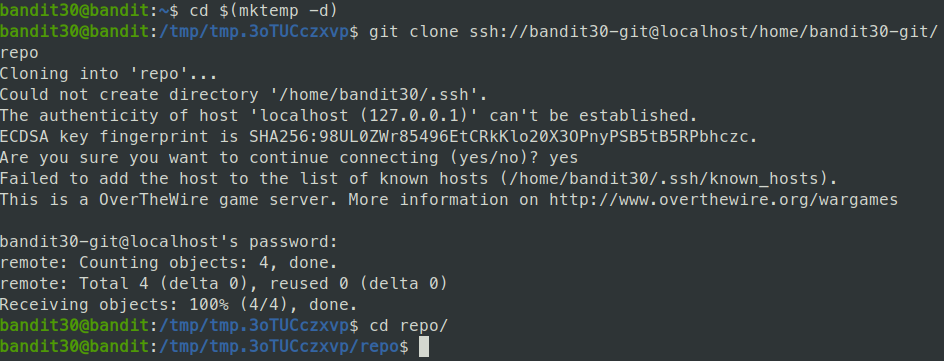
Looking at the readme file, we see that it sadly doesn't contain the password as we would've hoped.

We can try the same logic as before, looking at the branches, we see it only comes from master. Likewise, checking the logs, there is only 1 commit made in this file.
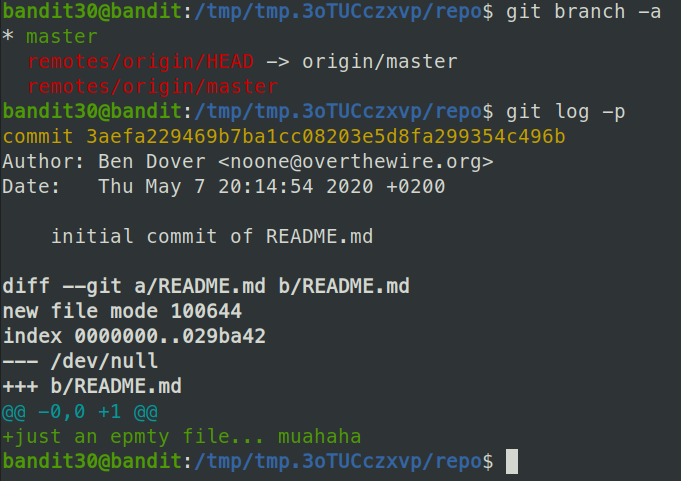
The idea of this challenge is to introduce us to the idea of tagging. Tagging is used to mark points in the repository's lifespan that were important. Examples include "version 1.0" to "version 2.0" or something similar. Tags can be shown in the repository by running the git tag command.

So this repository has a tag calleg "secret". We can look at the contents of the tag by running git show.

We get back the password for level 31, which is 47e603bb428404d265f59c42920d81e5
For this challenge, we again clone a git repository.
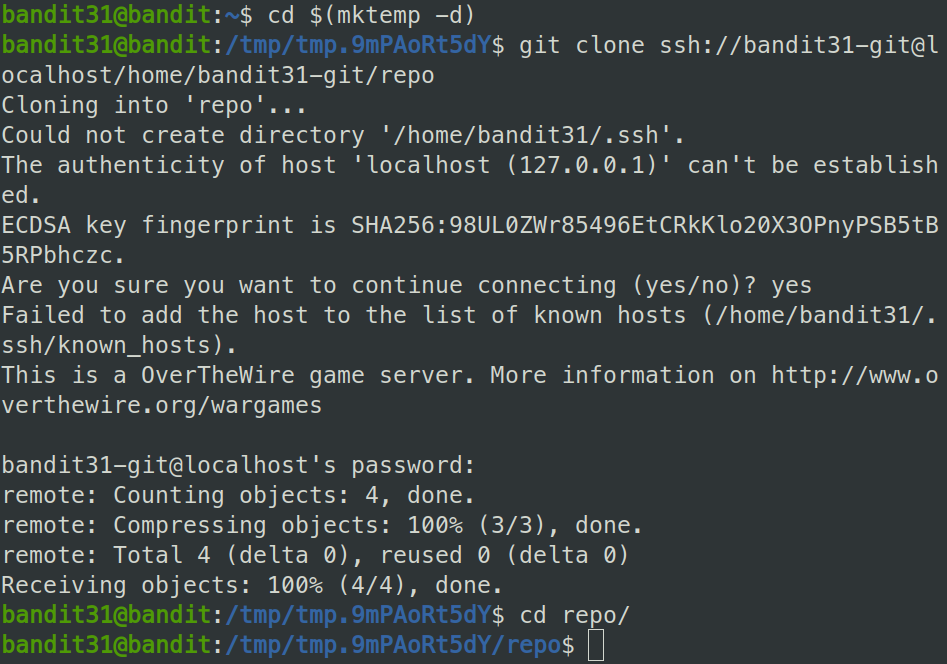
Then we can take a look the the readme file.
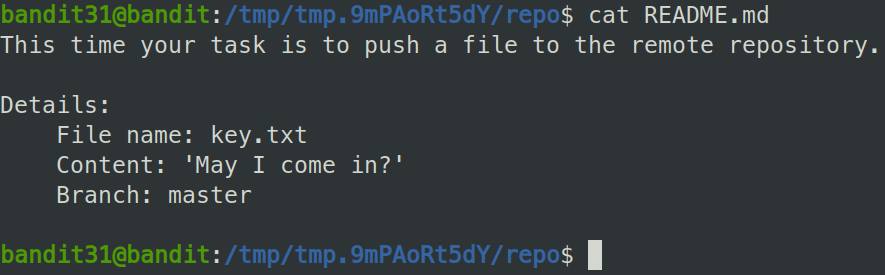
So we are told to push a file, key.txt to the master branch.
Lets set up the file and try to stage it for a commit and push.
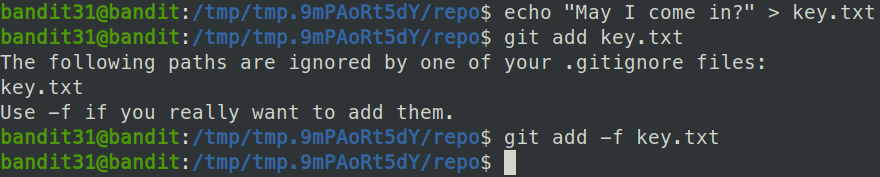
We saw that we were denied by the .gitignore file from adding key.txt, so we can to use the -f option to override .gitignore
Finally, all we have to do is make a commit with out staged file and push the commit to the master branch.
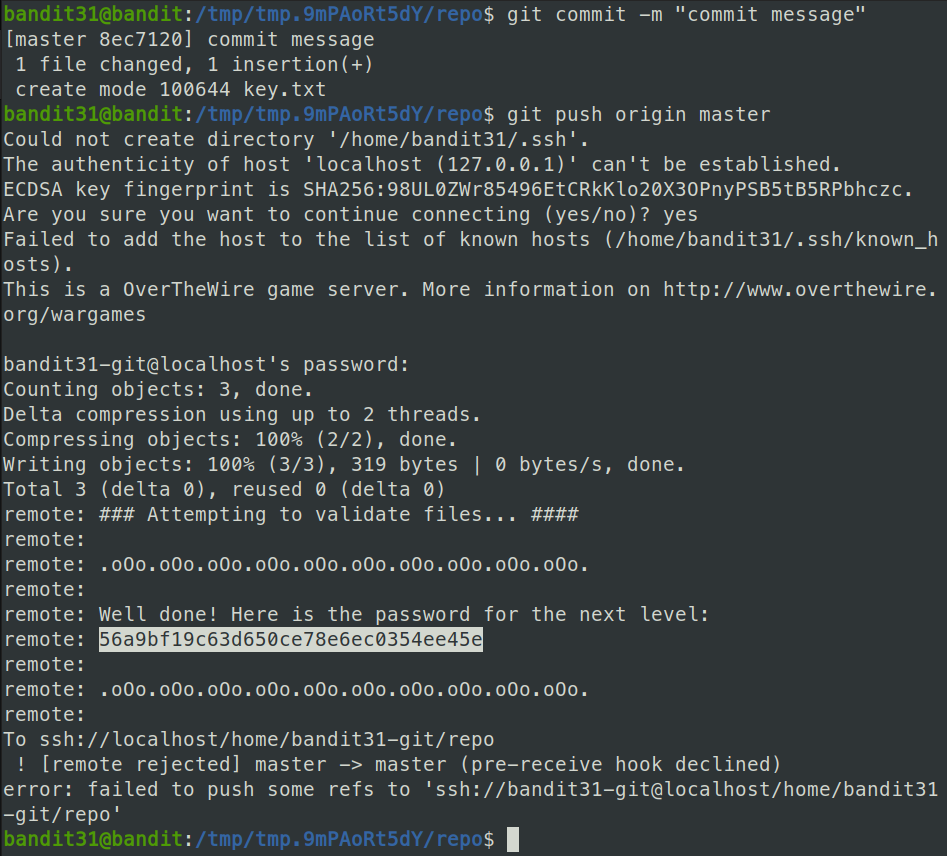
And we got the password for level 32, which is 56a9bf19c63d650ce78e6ec0354ee45e
When we log into bandit33, we are thrown into the "UPPERCASE SHELL". We quickly find that commands to not work in this shell and that we need a way out.
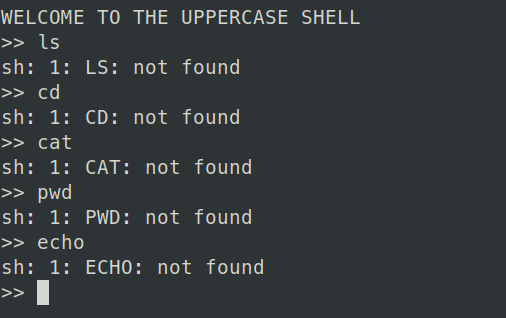
We get a shell by entering $0 ino the uppercase shell. We can see to use this as the script is interactive, calling sh on the commands we provide it. The $0 variable denotes the first argument of a command, which we can see is sh.
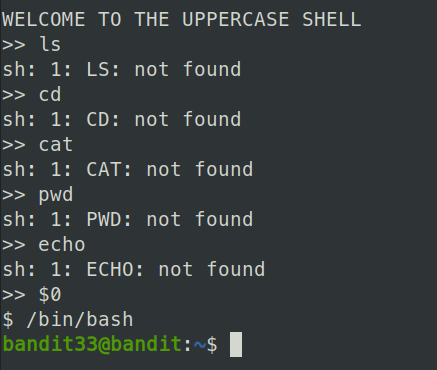
It worked, and we were dropped into an sh shell. We then can swich to bash for some extra comfort. Next is to try and read the password file for bandit33, stored in the usual place.

So we got the password for level 33, which is c9c3199ddf4121b10cf581a98d51caee
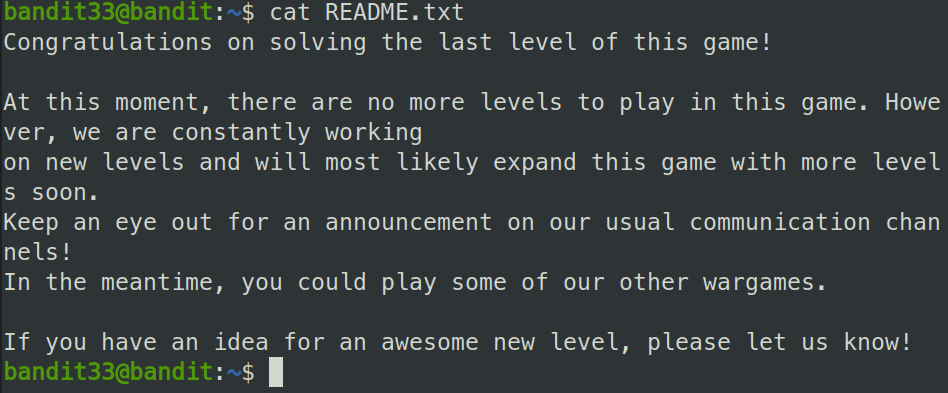
For the last level, we get a nice message congradulating us on finishing the game.